
Reminders and records for everything a home needs doing, from the boiler to the gutters.
Tasks pile up unticked and the app is muted.
Retention: feedback in exchange for access
Access in exchange for answers: the trial or the product keeps going as long as the answers do.
Gives: Premium for a month per accepted loop
Asks: Five questions on the first month of reminders
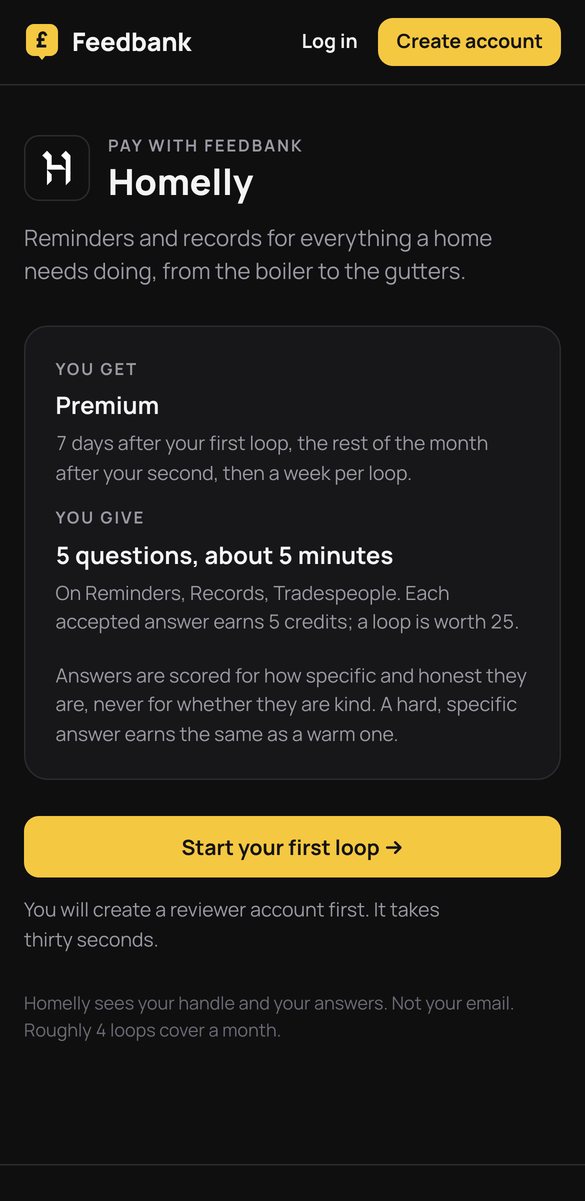
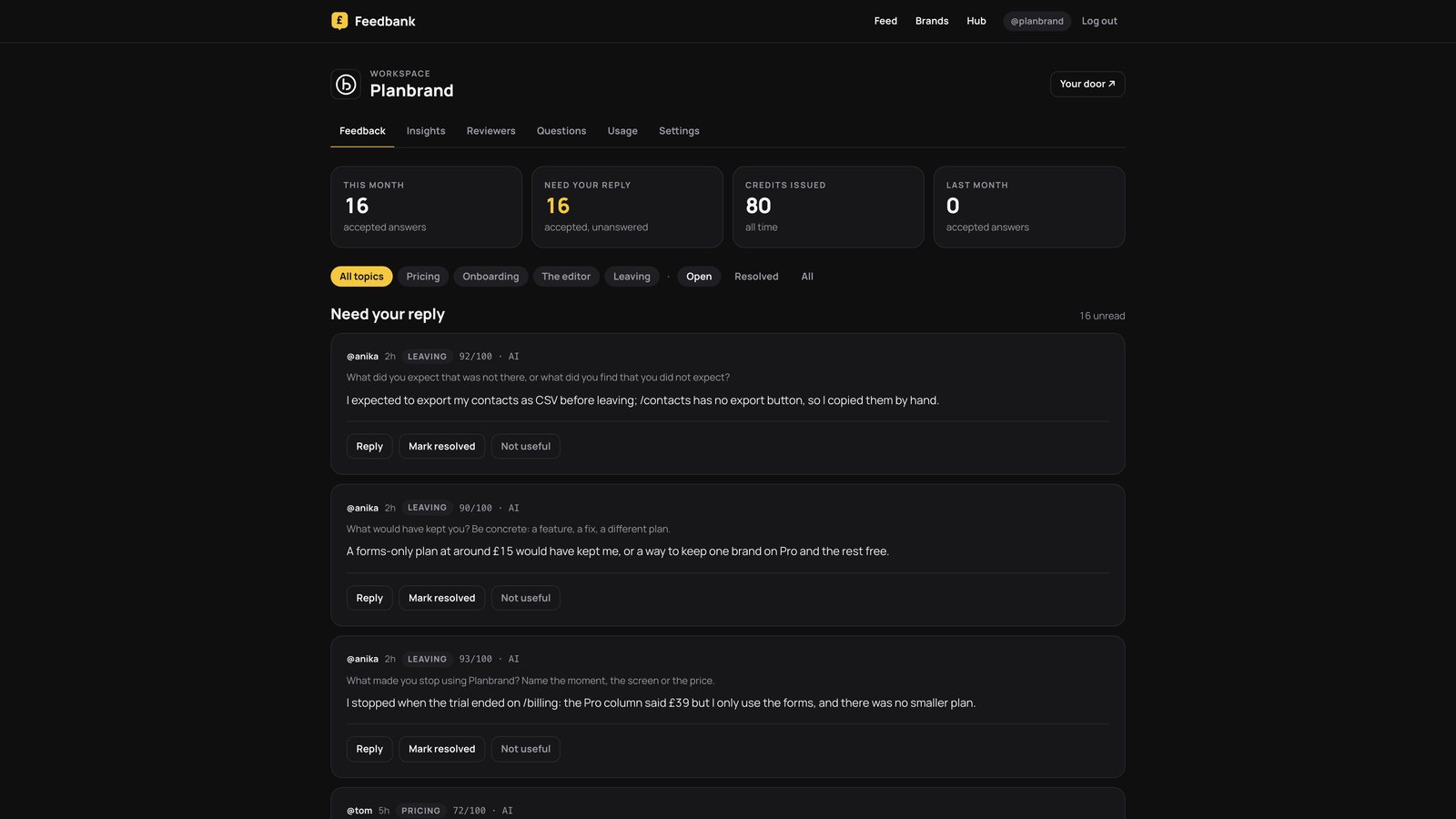
Planbrand's workspace, with answers in it. Homelly's hub has the same screens, filed under Reminders, Records, Tradespeople and Leaving.
The weekly loop
Five questions on reminders, records, tradespeople. Every answer is scored for how specific it is; a complaint earns what a compliment earns.
- 1Which reminder was wrong for your home, and what should it have said?
- 2What did you do this month that the app did not know about?
- 3Which record did you look up, and did you find it?
- 4What made you mute it, or what would?
- 5What would you want it to arrange for you, not just remind you?
What Homelly learns
- Which reminders are wrong
- What homes do that the app cannot see
- The line between reminding and arranging
Anyone who stops gets three exit questions: what made you stop, what would have kept you, what did you expect. Scored like any answer, credited, and read first by the Insights model.
This page describes Homelly's setup on Feedbank. Figures appear only where the brand has published them.