
An estate agency with an online valuation and a seller's dashboard.
A seller gets the online valuation and instructs another agent.
Insight: structured answers to act on
The hub files every answer by topic and screen, and the model names the core reasons behind them.
Gives: A free professional photo set for sellers who answer
Asks: Five questions after the valuation
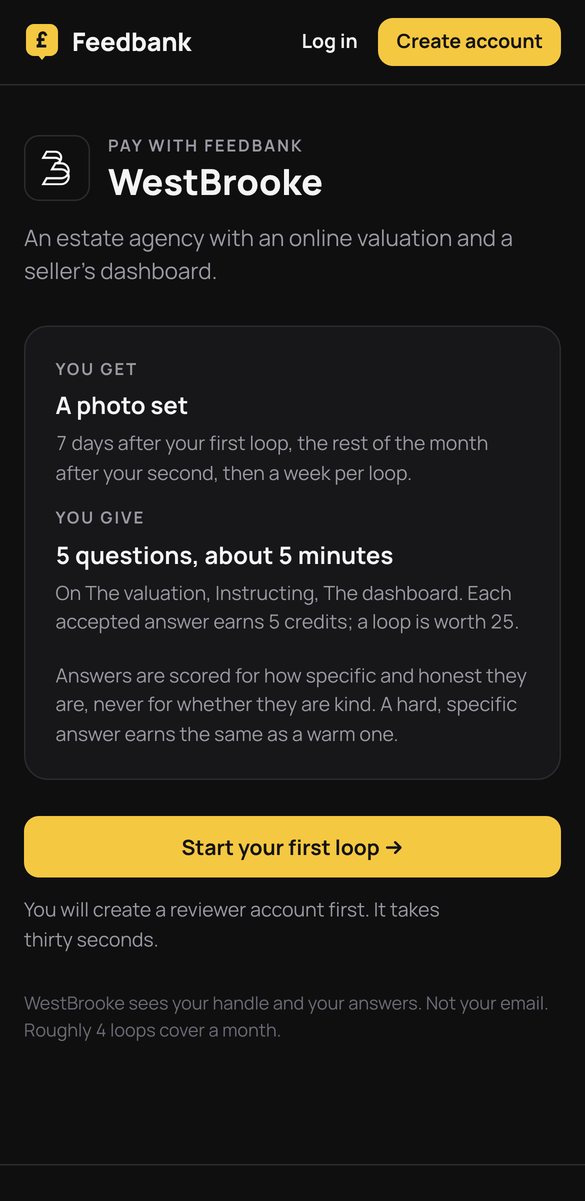
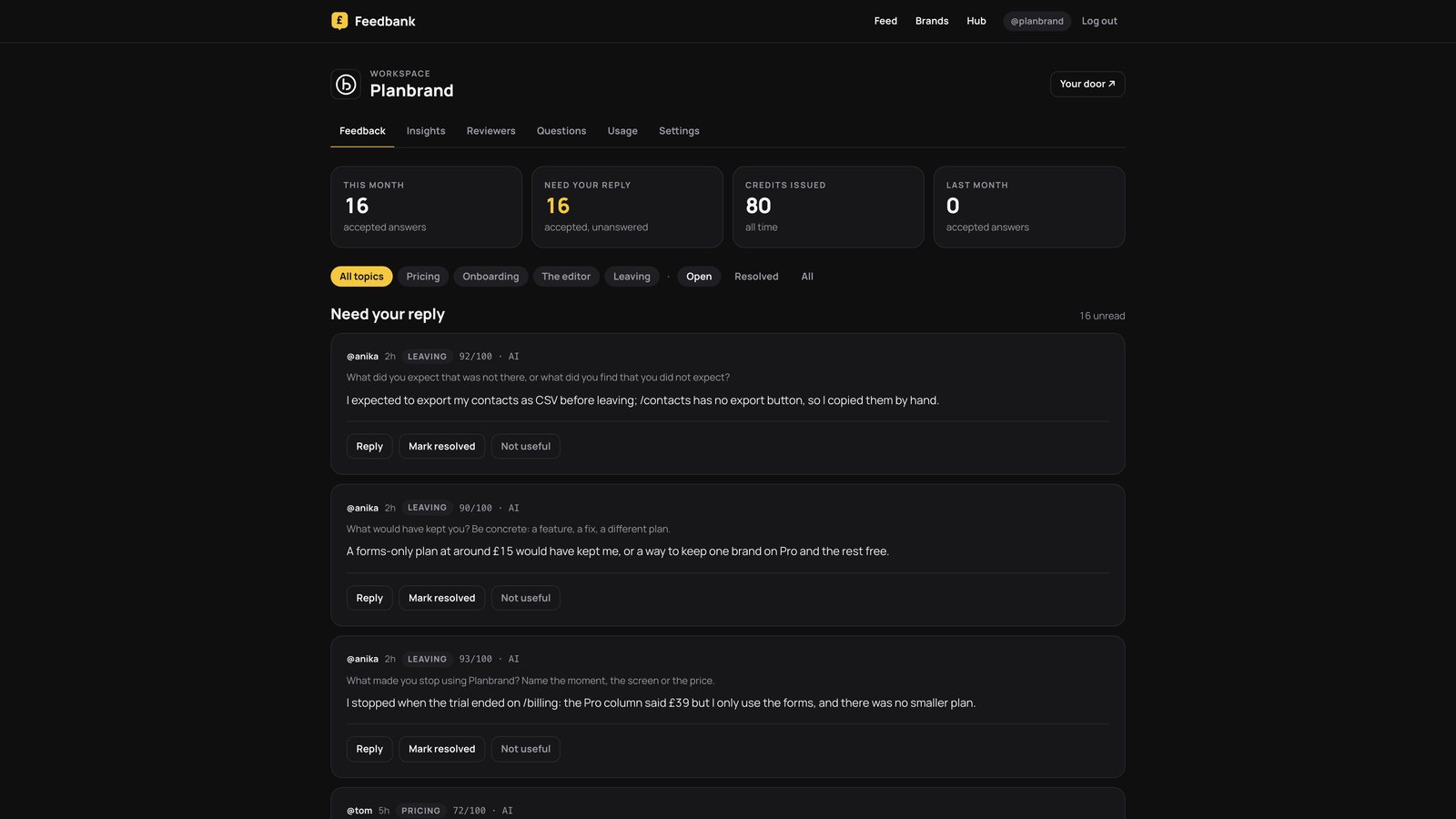
Planbrand's workspace, with answers in it. WestBrooke's hub has the same screens, filed under The valuation, Instructing, The dashboard and Leaving.
The weekly loop
Five questions on the valuation, instructing, the dashboard. Every answer is scored for how specific it is; a complaint earns what a compliment earns.
- 1What did the valuation say that you did not expect?
- 2What did the other agents say or offer that we did not?
- 3What did you look for on the dashboard before deciding?
- 4What would have made you instruct us the same day?
- 5What did you want to ask that there was no place to ask?
What WestBrooke learns
- What the valuation gets wrong
- What competitors offer
- What a seller needs before instructing
Anyone who stops gets three exit questions: what made you stop, what would have kept you, what did you expect. Scored like any answer, credited, and read first by the Insights model.
This page describes WestBrooke's setup on Feedbank. Figures appear only where the brand has published them.